AI-NATIVE PRIVILEGED ACCESS MANAGEMENT

The complete AI-native PAM platform.

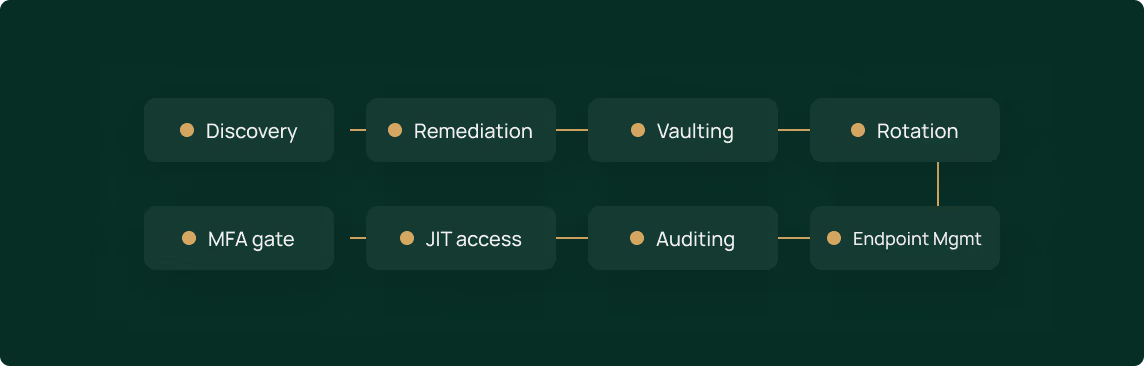
Every phase of privileged access in one platform — and an AI agent that does the work to get you to zero standing privilege.
THE PROBLEM

If one technician is compromised, what stops the blast radius?

01

Shrink the breach blast radius

Standing privilege and credential sprawl across every environment
292 days
Breaches that begin with stolen credentials take the longest to detect and contain
02

Meet cyber-insurance and compliance demands

Audit gaps you can't quickly prove you've closed
82%
of denied cyber-insurance claims involved companies without full MFA in place
03

Secure technician access without slowing the team down

Manual security work that loses to higher-priority tickets
30%
of incidents involved abusing valid accounts, making it the top way attackers broke into environments last year
SEE IT IN ACTION

Watch Panthera run privileged access for you.

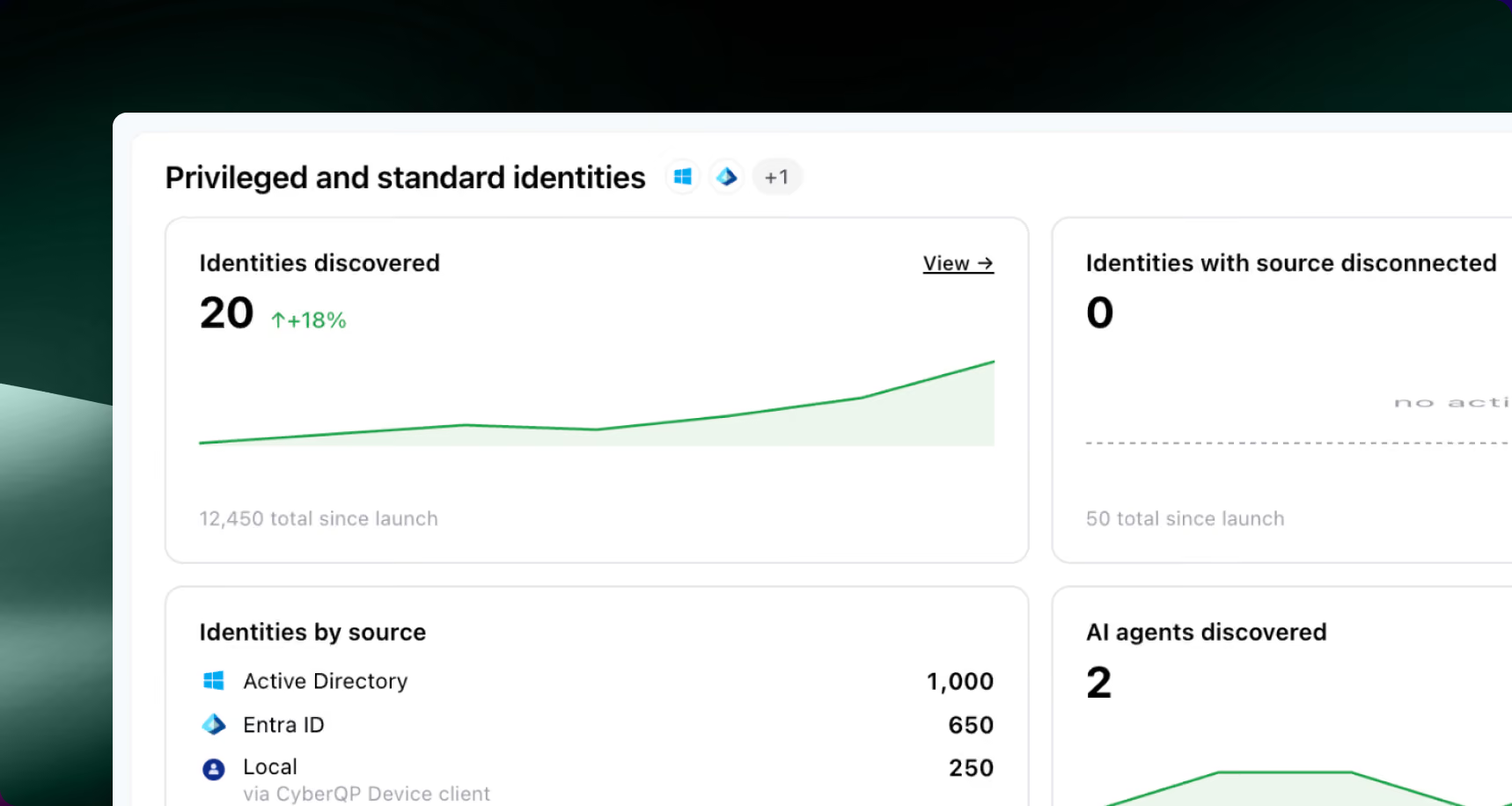
Maturity score overview
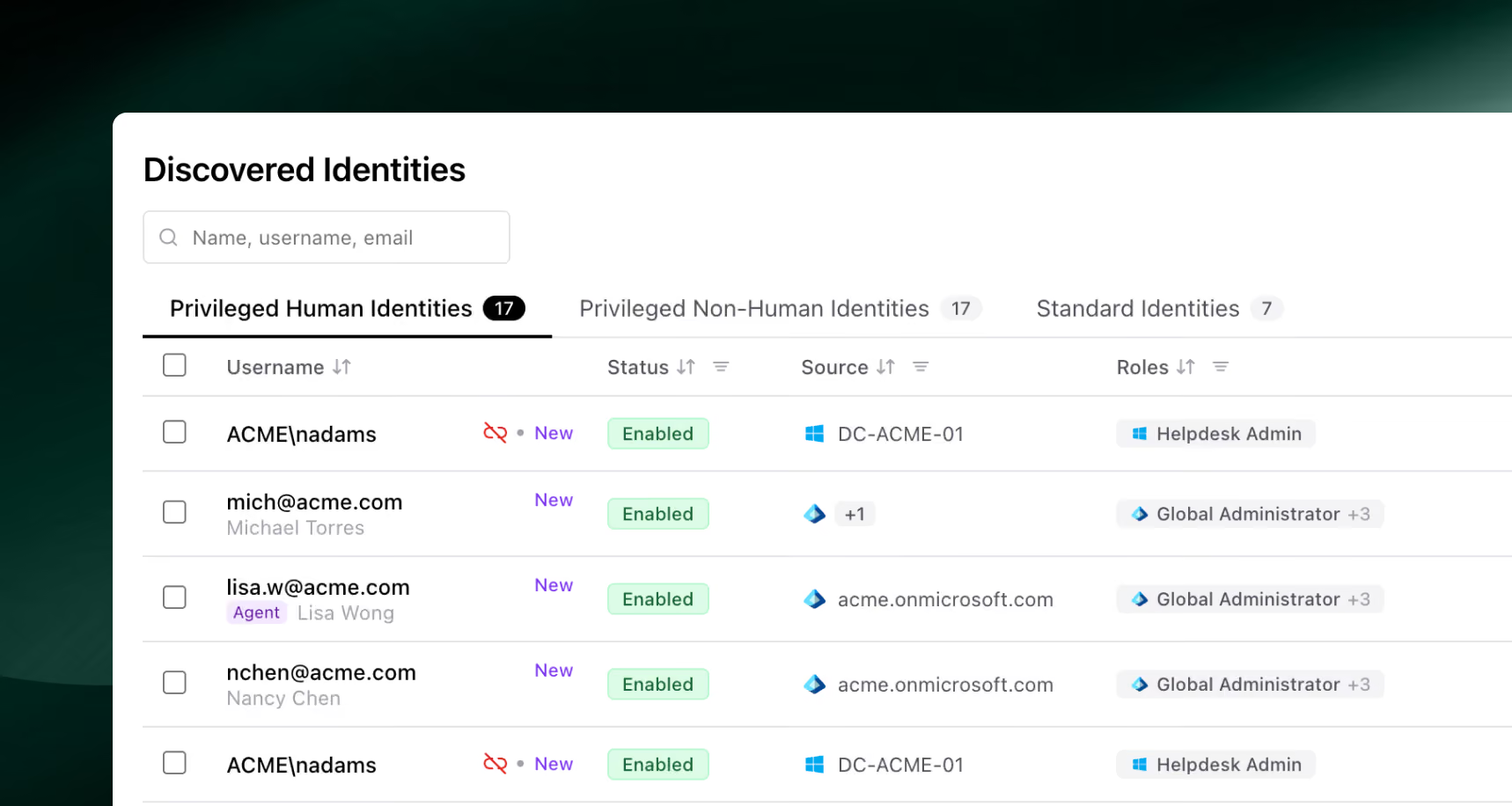
Credential discovery run
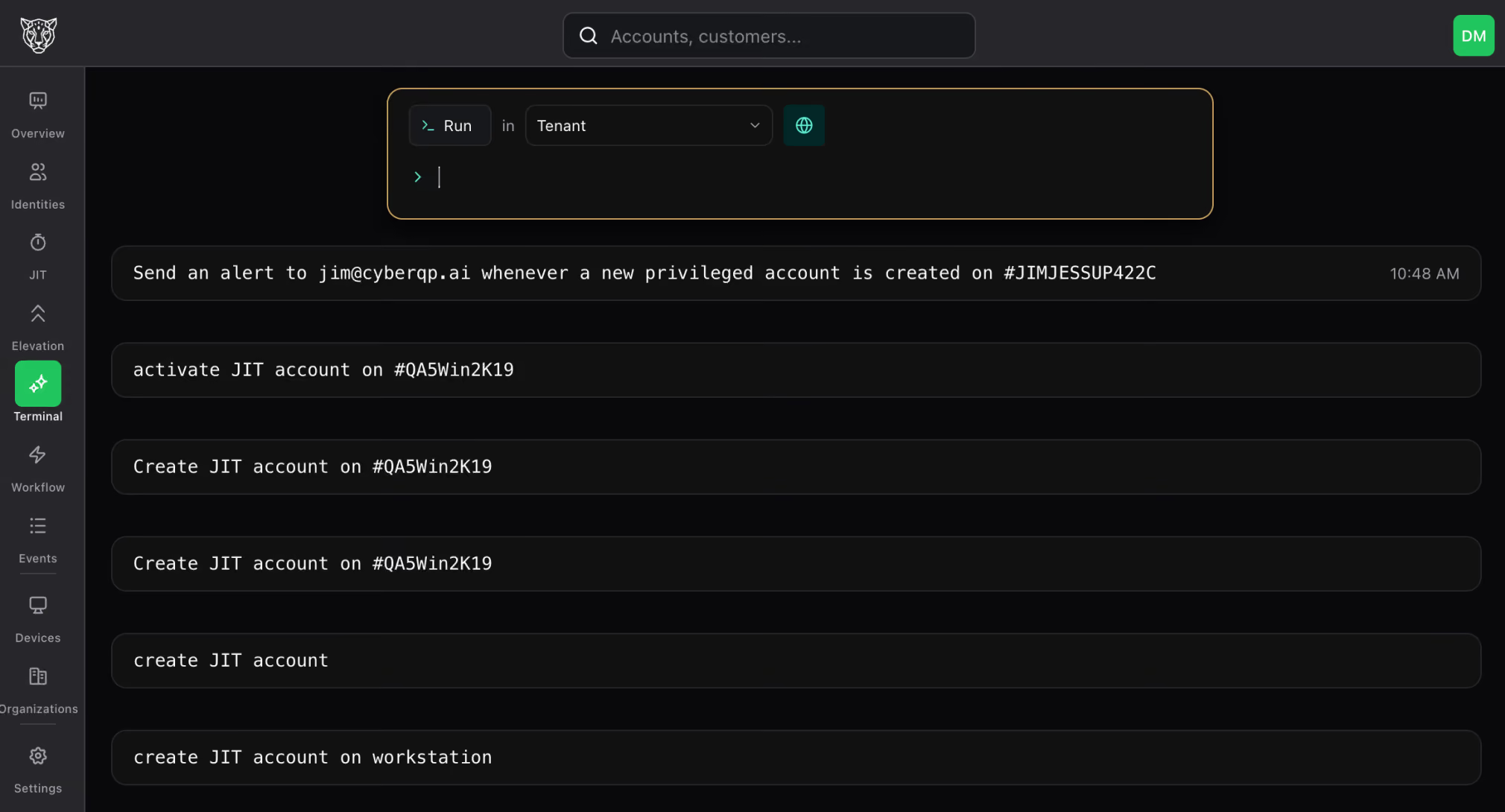
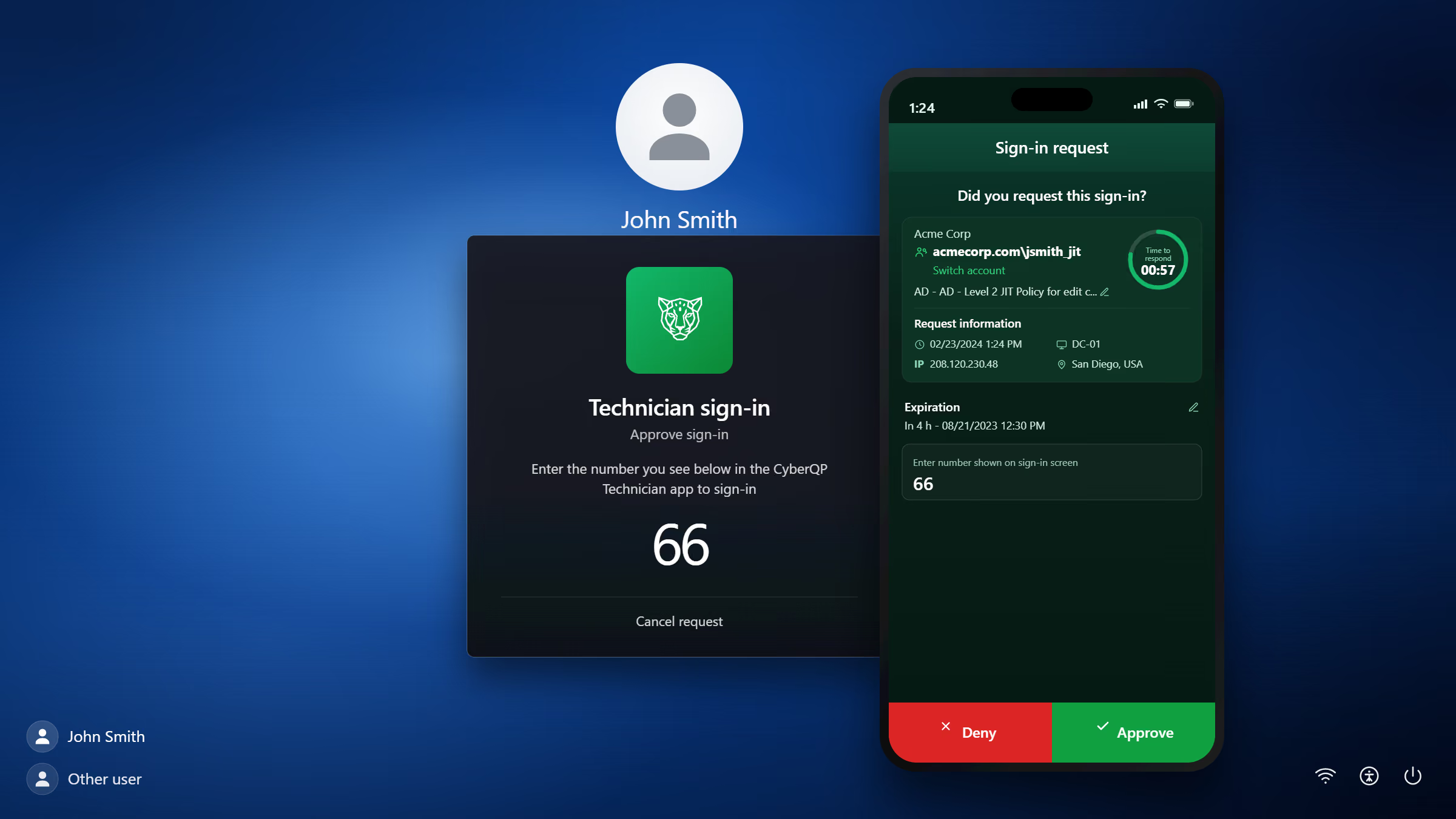
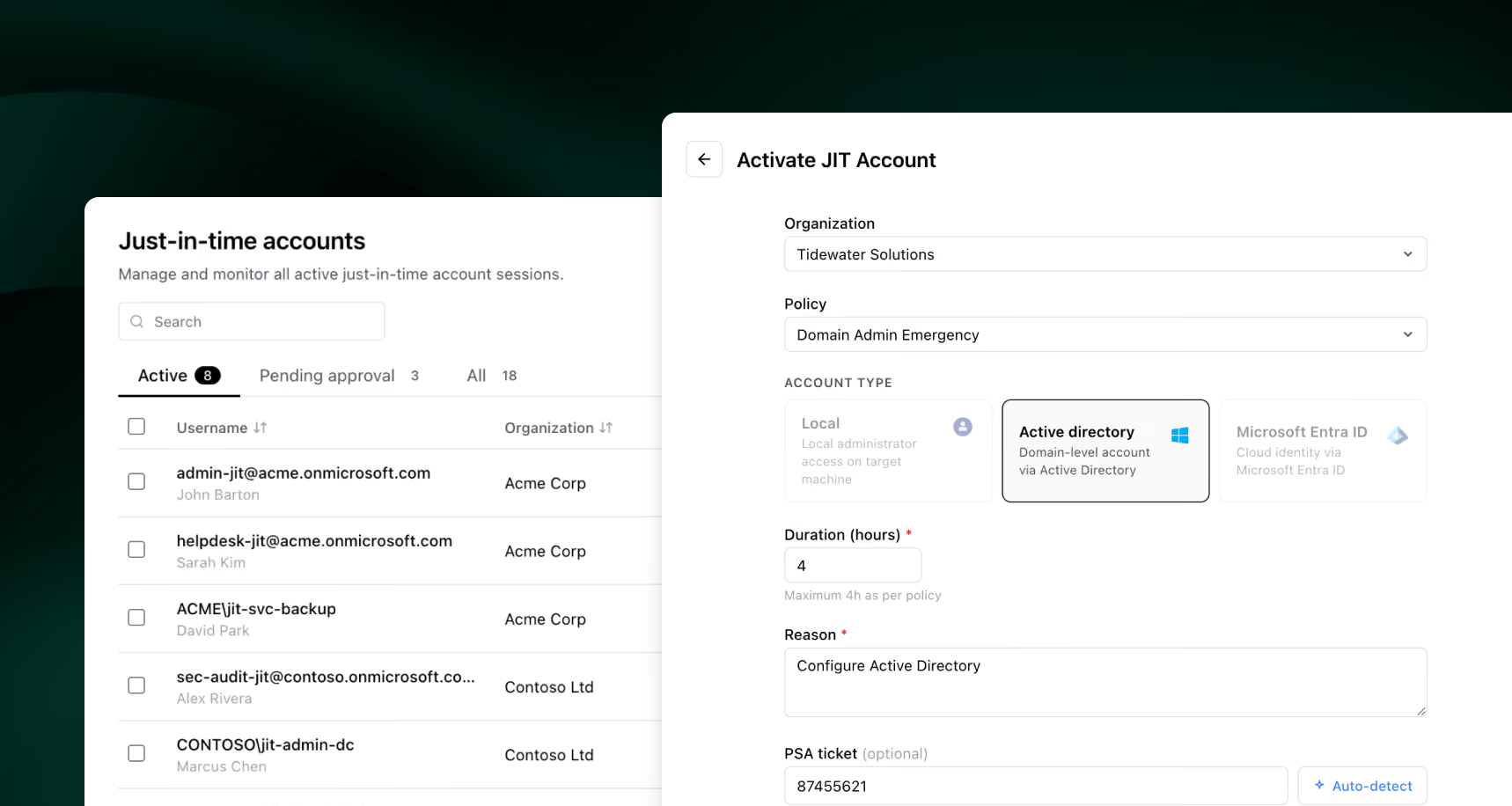
Just-in-time access in action
Audit trail and alerting
PAM MATURITY JOURNEY

Eight phases to zero standing privilege.

1
Phase 01

Discover & Assess

Discover & Assess Dashboard CyberQP.ai Software Screenshot
PHASE 01

Discover & Assess

Privileged accounts — human, service, and shared — sprawl across systems, and no one has a full inventory.
What Panthera automates
Continuously discovers every privileged identity and surfaces the risky ones, on demand.
2
Phase 02

Remediation of Privileged Access

Remediation of Privileged Access Dashboard CyberQP.ai Software Screenshot
PHASE 02

Remediation of Privileged Access

Stale, orphaned, and over-privileged accounts pile up faster than anyone can clean them.
What Panthera automates
Stages and remediates risky access — removing, disabling, or right-sizing it, with approval.
3
Phase 03

Vaulting & Credential Management

Vaulting & Credential Management Dashboard CyberQP.ai Software Screenshot
PHASE 03

Vaulting & Credential Management

Credentials live in spreadsheets, scripts, and config files where too many people can reach them.
What Panthera automates
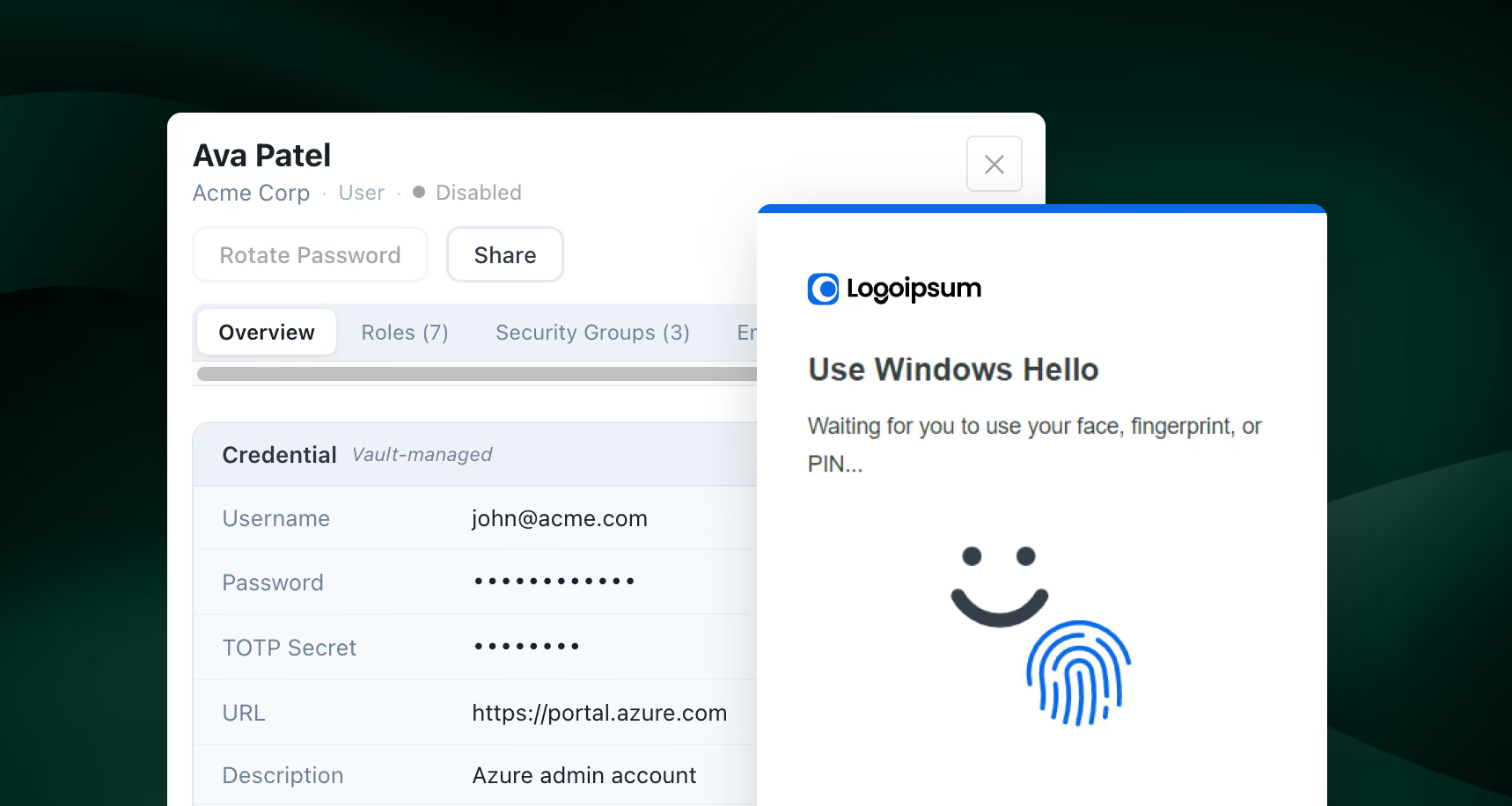
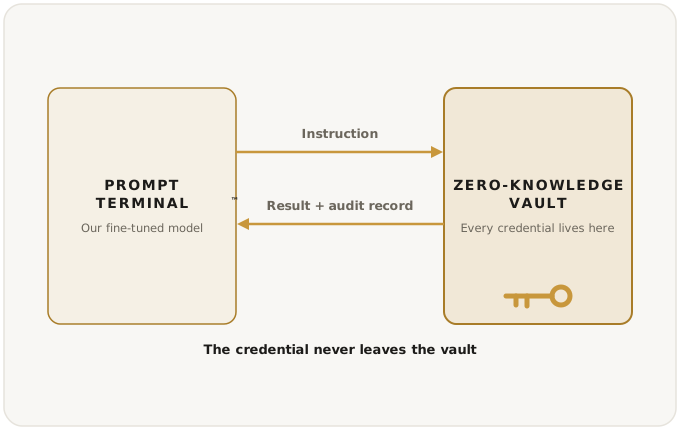
Pulls every privileged credential into a zero-knowledge vault — one even we can't read.
4
Phase 04

Automated Credential Rotation

Automated Credential Rotation Dashboard CyberQP.ai Software Screenshot
PHASE 04

Automated Credential Rotation

Rotation is a reminder no one keeps; static passwords linger for months.
What Panthera automates
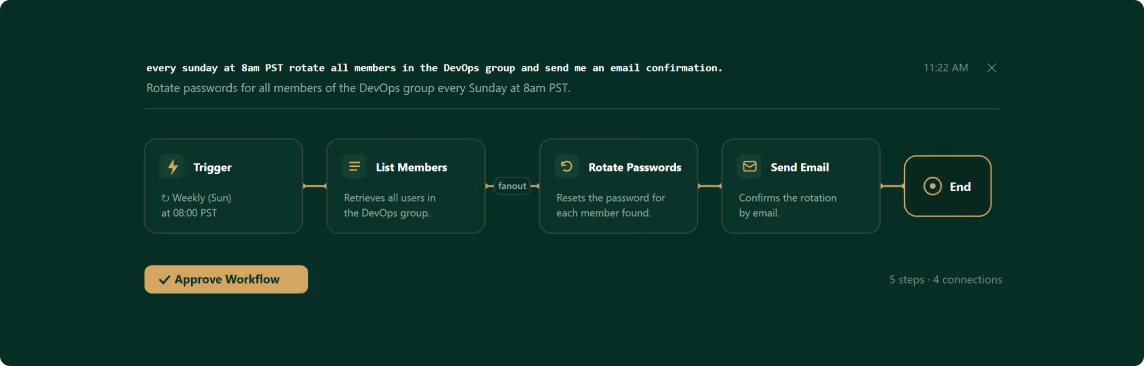
Rotates shared and service-account credentials automatically — on a schedule or after each use.
5
Phase 05

MFA & Secure Access Enforcement

MFA & Secure Access Enforcement Dashboard CyberQP.ai Software Screenshot
PHASE 05

MFA & Secure Access Enforcement

MFA coverage is patchy and hard to prove across every endpoint and tool.
What Panthera automates
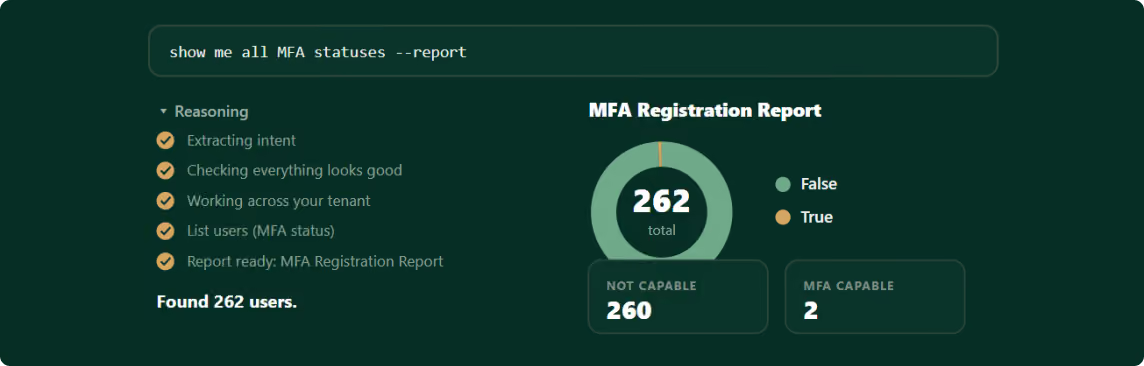
Enforces and reports MFA across logins and remote access — and shows you the gaps.
6
Phase 06

Just-in-Time Access & Zero Standing Privilege

Just-in-Time Access & Zero Standing Privilege Dashboard CyberQP.ai Software Screenshot
PHASE 06

Just-in-Time Access & Zero Standing Privilege

Always-on admin accounts are the easiest thing for an attacker to find and abuse.
What Panthera automates
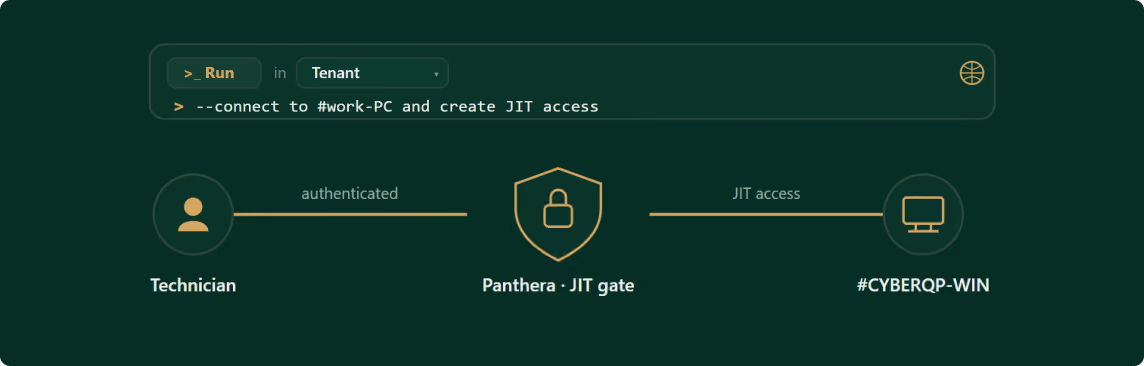
Creates per-technician access that's off by default, granted only for the task, then revoked.
7
Phase 07

Auditing, Monitoring & Alerting

Auditing, Monitoring & Alerting Dashboard CyberQP.ai Software Screenshot
PHASE 07

Auditing, Monitoring & Alerting

When an auditor asks who did what, the evidence is scattered or missing.
What Panthera automates
Records sessions, logs every action, and alerts on risky behavior — evidence on demand.
8
Phase 08

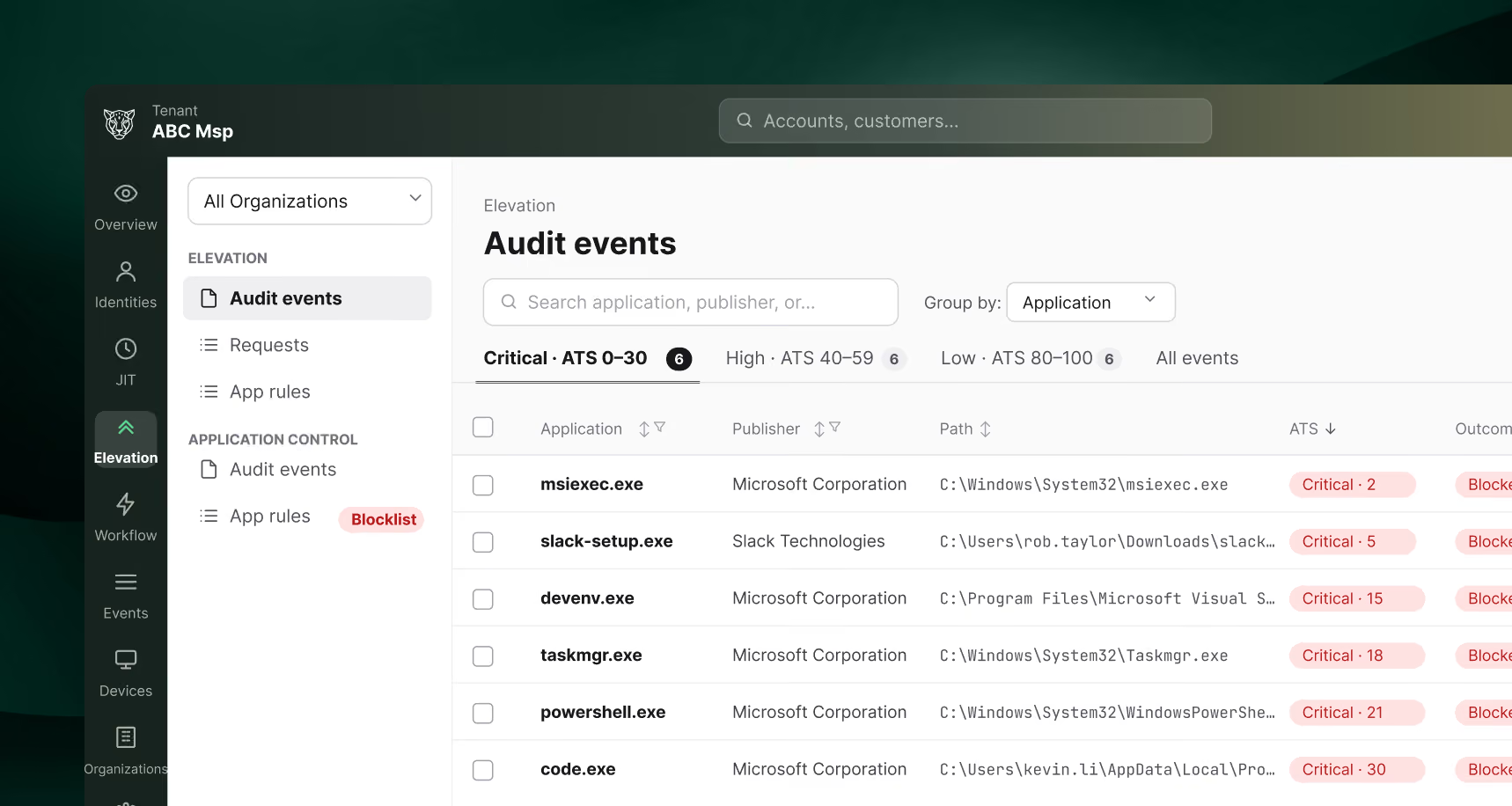
Endpoint Privilege Management

Endpoint Privilege Management Dashboard CyberQP.ai Software Screenshot
PHASE 08

Endpoint Privilege Management

Local admin rights stay on workstations because removing them breaks people's work.
What Panthera automates
Removes standing local admin and approves safe elevation automatically, with risk scoring.
Discover & Assess Dashboard CyberQP.ai Software Screenshot
PHASE 01

Discover & Assess

Privileged accounts — human, service, and shared — sprawl across systems, and no one has a full inventory.
What Panthera automates
Continuously discovers every privileged identity and surfaces the risky ones, on demand.
Remediation of Privileged Access Dashboard CyberQP.ai Software Screenshot
PHASE 02

Remediation of Privileged Access

Stale, orphaned, and over-privileged accounts pile up faster than anyone can clean them.
What Panthera automates
Stages and remediates risky access — removing, disabling, or right-sizing it, with approval.
Vaulting & Credential Management Dashboard CyberQP.ai Software Screenshot
PHASE 03

Vaulting & Credential Management

Credentials live in spreadsheets, scripts, and config files where too many people can reach them.
What Panthera automates
Pulls every privileged credential into a zero-knowledge vault — one even we can't read.
Automated Credential Rotation Dashboard CyberQP.ai Software Screenshot
PHASE 04

Automated Credential Rotation

Rotation is a reminder no one keeps; static passwords linger for months.
What Panthera automates
Rotates shared and service-account credentials automatically — on a schedule or after each use.
MFA & Secure Access Enforcement Dashboard CyberQP.ai Software Screenshot
PHASE 05

MFA & Secure Access Enforcement

MFA coverage is patchy and hard to prove across every endpoint and tool.
What Panthera automates
Enforces and reports MFA across logins and remote access — and shows you the gaps.
Just-in-Time Access & Zero Standing Privilege Dashboard CyberQP.ai Software Screenshot
PHASE 06

Just-in-Time Access & Zero Standing Privilege

Always-on admin accounts are the easiest thing for an attacker to find and abuse.
What Panthera automates
Creates per-technician access that's off by default, granted only for the task, then revoked.
Auditing, Monitoring & Alerting Dashboard CyberQP.ai Software Screenshot
PHASE 07

Auditing, Monitoring & Alerting

When an auditor asks who did what, the evidence is scattered or missing.
What Panthera automates
Records sessions, logs every action, and alerts on risky behavior — evidence on demand.
Endpoint Privilege Management Dashboard CyberQP.ai Software Screenshot
PHASE 08

Endpoint Privilege Management

Local admin rights stay on workstations because removing them breaks people's work.
What Panthera automates
Removes standing local admin and approves safe elevation automatically, with risk scoring.
MANUAL PAM vs. PANTHERA.AI

What AI Does That Legacy PAM Can't

MANUAL PAM
DISCOVERY
Periodic manual inventory that's stale the day it's finished.
panthera
DISCOVERY
Continuous discovery of every human and non-human identity.
MANUAL PAM
The work
You configure and operate every control by hand.
CYBERQP.AI
The work
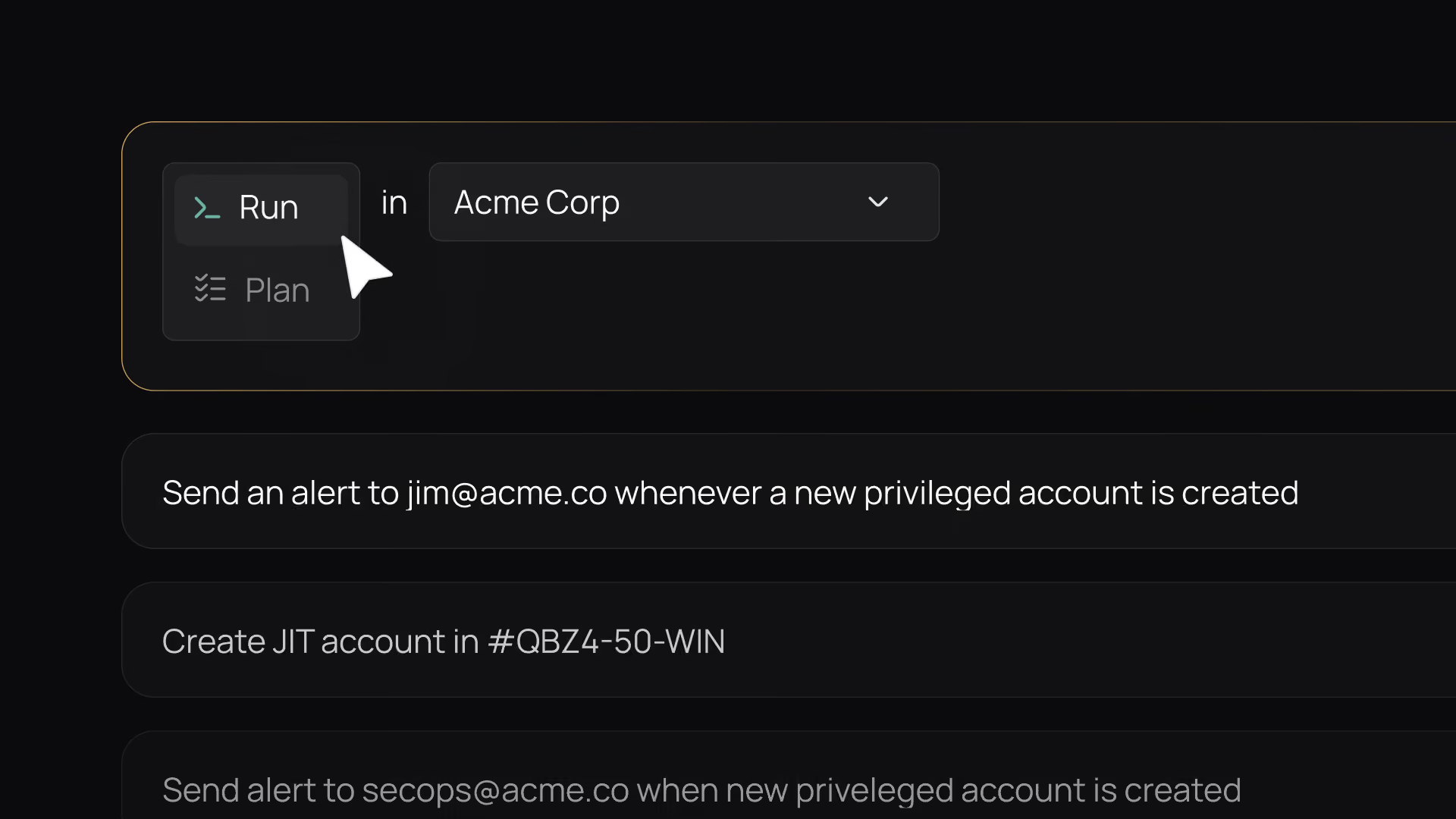
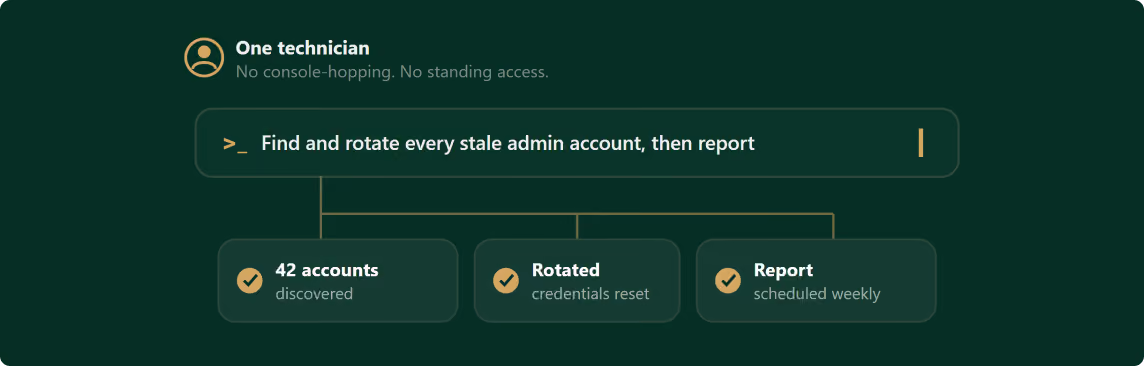
Describe the outcome; the AI agent does the work.
MANUAL PAM
Privileged access
Standing accounts and shared admin passwords.
CYBERQP.AI
Privileged access
Zero standing privilege — granted on demand, auto-revoked.
MANUAL PAM
Compliance
Manual audit prep and weeks of screenshots.
CYBERQP.AI
Compliance
Audit-ready evidence packages, generated for you.
MANUAL PAM
Scope
Five or six point tools to stitch together.
CYBERQP.AI
Scope
Every phase of the PAM journey in one platform.
MANUAL PAM
Your team's day
Security work loses to higher-priority tickets.
CYBERQP.AI
Your team's day
One technician runs it all from a single prompt.
Panthera Dashboard

The harness becomes more critical with agents

The more autonomous an AI is, the more you need structure around it:

Guardrails

to prevent the agent from doing harmful or unintended things

Orchestration

to manage multi-step workflows and tool use

Evaluation frameworks

to test whether the agent completed tasks correctly

Memory/State management

to track what the agent has done

Agentic adds new harness concerns that don't exist with simple LLMs:

Loop detection

(agents getting stuck)

Permission scoping

(what tools/actions the agent can take)

Human-in-the-loop checkpoints

Audit trails of agent actions

learn more

Get a copy of the Panthera Whitepaper

Integrations

Works with the stack you already run.

PSA Tools

ConnectWise LogoAutotask LogoHalospa Logo PNG

RMM Platforms

Datto LogoNinja Logo

Identity providers

Microsoft Active Directory LogoMicrosoft Entra ID LogoOkta LogoGoogle Workspace Logo PNG

Endpoint client support

Windows Logo PNGmacOS Logo PNG
COMPLIANCE & SECURITY POSTURE

Audit-ready on day one

Cybersecurity Expert Compliance
SOC 2 Type 2 Certification

SOC 2 Type II

Independently audited controls for security, availability, and confidentiality.
ISO 27001 Logo

ISO 27001

Aligned to the international standard for information security management.
HIPAA Compliance Logo

HIPAA

Controls mapped to healthcare data privacy and security requirements.
CMMC Compliance

CMMC

Built for the Cybersecurity Maturity Model Certification defense work requires.
GDPR Compliant

GDPR

Supports EU data-privacy obligations for personal data.
Cyber Insurance Logo

Cyber Insurance

Automated evidence packages that replace manual audit prep.
Compliance stops being a fire drill. The evidence your auditors and insurers ask for is generated for you, on demand.
FAQ

Frequently Asked Questions

01

Is my data shared with model providers like OpenAI, Google, or Anthropic?

FAQ Icon
No. CyberQP runs its own fine-tuned LLM on its own infrastructure. Your data is never sent to a third-party model provider and is never used to train anyone's model — privileged data stays on our servers, under our protection, not theirs.
02

Can CyberQP — or anyone — see our stored credentials?

FAQ Icon
No. The vault is zero-knowledge: credentials and encryption keys are encrypted so that even CyberQP cannot read them. We run the platform without ever holding your secrets in the clear.
03

Is the AI safe to run against privileged systems?

FAQ Icon
Yes. The model is fine-tuned and runs on our own infrastructure, not a third-party API, so your privileged data never leaves your control. Every action the agent takes is permission-scoped, logged, and can require human approval before it runs.
04

What is zero standing privilege?

FAQ Icon
It means no account carries admin rights around the clock. Access is created the moment it's needed, scoped to the task, and removed when the task is done — so there's nothing standing for an attacker to steal or abuse.
05

How does just-in-time access work?

FAQ Icon
Each technician gets a dedicated privileged account that stays disabled by default. When work needs elevation, access is granted just-in-time — optionally behind a second approver — and revoked automatically afterward. Every grant is logged.
06

Is Panthera multi-tenant?

FAQ Icon
Yes. Manage every client environment from one console — switch tenants without re-authenticating, with role-based access and clean separation between them. Set a policy at the parent level and it cascades to the orgs beneath it.
07

How is Panthera priced, and is the AI a separate add-on?

FAQ Icon
Pricing is usage-based with no feature gating, and the AI is built into the platform — not a separate SKU or a per-token charge. You get the full privileged-access journey for one price, not a base tool with paid upgrades.
08

Can we prove who did what across privileged access — including the AI?

FAQ Icon
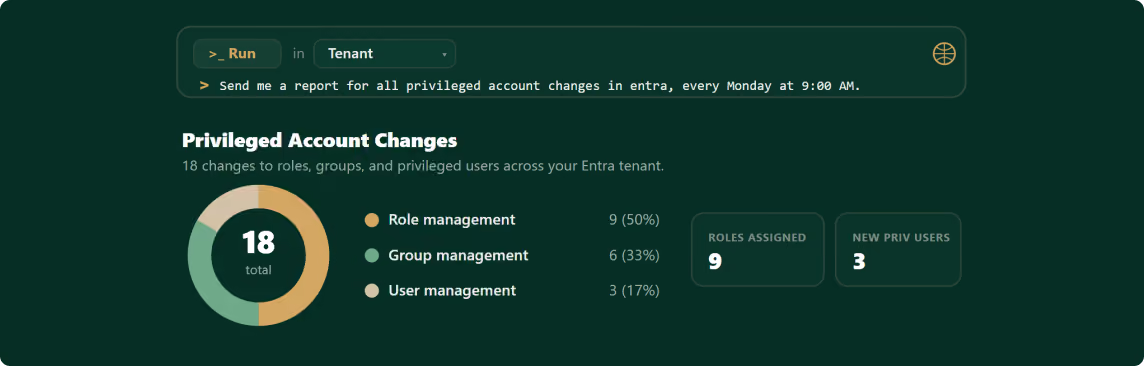
Yes. Every privileged account use is logged — which account, who used it, what privilege, and for how long. Because the AI agent does the work, its actions are logged the same way, so your audit trail covers the automation, not just the people. And you don't dig through filters to find it: ask the prompt terminal in plain language, or set a recurring report — weekly privileged-account changes, elevation approvals and denials — and the evidence is generated for you on demand.
join the waitlist

Be one of the first companies to use Panthera